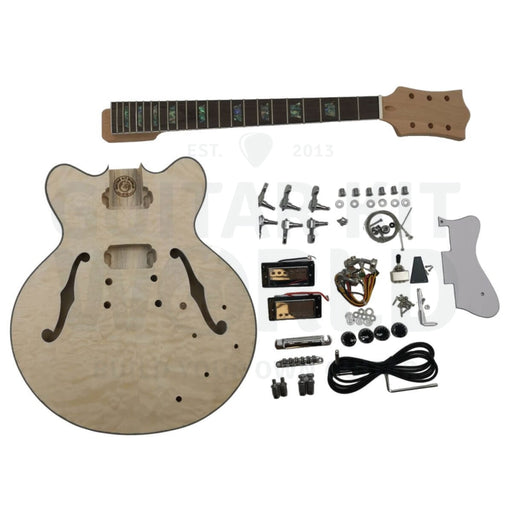
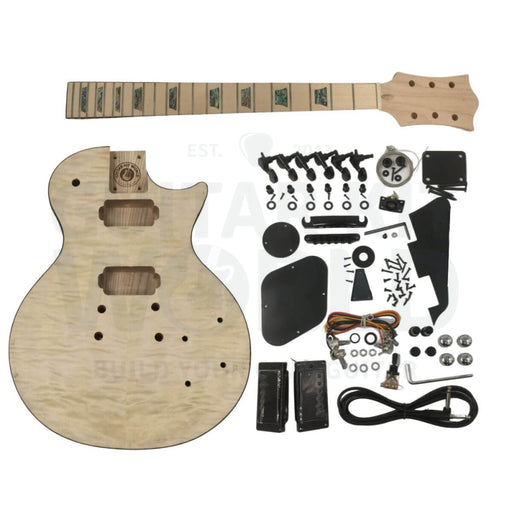
If your kit came with a small metal “L"-shaped bracket (often with a slotted arm and a little upright tab with a round hole), you’re not alone. This is one of the most common “what is this for?” questions we get.
Courtesy of James M.
Short answer: it’s a pickguard support bracket. It helps stabilize and fine-tune the height/position of the pickguard once installed.
Q: What is the metal bracket used for?
The bracket is used to support the underside of the pickguard. The slotted arm attaches to the pickguard, and the upright tab screws into the guitar body. The slot gives you adjustment, so you can align the pickguard neatly before tightening.
Q: Do I need to install it?
No. Only if you’re installing the pickguard. If you’re building the kit without a pickguard (or you’re using a different style), you can set this part aside.
How to Install the Pickguard Support Bracket (Step-by-Step)
Test-fit the pickguard first. Place the pickguard on the body exactly where you want it. Make sure it lines up with the neck pocket, pickups, and control cavity routes.
Attach the bracket to the pickguard (underside). The slotted arm connects to the underside of the pickguard using the small screw + nut (if included with your kit hardware). Don’t fully tighten yet: you want the bracket to stay adjustable.
Position the bracket inside the cavity area. With the pickguard still in place, swing the bracket so the upright tab (round hole) sits flat against the body where it will mount.
Mark the screw location carefully. Once everything is aligned, mark the screw point for the upright tab. Remove the pickguard and bracket after marking.
Pre-drill a pilot hole (recommended). Use a small pilot bit to reduce the chance of splitting wood or slipping. Then install the screw to secure the upright tab.
Reinstall the pickguard and finalize the adjustment. Put the pickguard back on, adjust the bracket via the slot until the pickguard sits clean and level, then tighten the bracket hardware.
Q: I don’t want to drill through my flame maple veneer. What should I do?
Totally reasonable. Here are the best practices to keep your top looking clean:
Only drill a shallow pilot hole. The bracket screw should not go “through” the top, just into the wood enough to hold securely. Use a short screw if needed.
Use painter’s tape before drilling. Tape helps reduce tear-out and keeps the bit from wandering.
Mark depth with tape on your drill bit. Wrap tape around the bit to create a visual “stop” so you don’t drill deeper than necessary.
If you’re unsure, skip the bracket. You can build without the pickguard, or you can install the pickguard later once you’re 100% confident on placement.
Tip: The safest approach is to finalize pickguard alignment first, then mount the bracket only after you can clearly see where it naturally sits.
Video Walkthrough
Here’s a helpful installation video that shows the bracket placement and how it attaches:
Still Not Sure If Yours Matches?
If you want us to confirm it’s the same part, reply with a clear photo of the bracket next to a ruler (or coin) and we’ll identify it for you.
Finishing is the one guitar-building step you cannot undo. So Steve Madden practiced on six plywood bodies first, then gave his quilted maple kit five thin coats of Tru-Oil. Here is his method, and how he fixed the binding when it turned yellow.
Doug DeLuca and his sixteen year old son turned a bare quilted maple top into a deep blue burst, and the figure still reads through the darkest part of the rim. Here is the dye versus pigment decision that made it work, why the edges are the darkest part of the guitar, and what you can copy on your own figured top.
Christoph and his son Fionn wanted a deep even black on an open-grained mahogany body with the figure still showing through, and the pores kept drying lighter than the surface. Follow the build from the bare kit to the finished bass, and see how they diagnosed it and what you can copy from their approach.

 Nathan T.